

Modern corporate campuses are designed to inspire innovation and collaboration—but their size and complexity can make navigation overwhelming. Employees, visitors, and even long-time staff can waste time trying to locate the right building, office, or meeting space. This is where digital wayfinding solutions make a measurable difference.
1. What Is Digital Wayfinding?
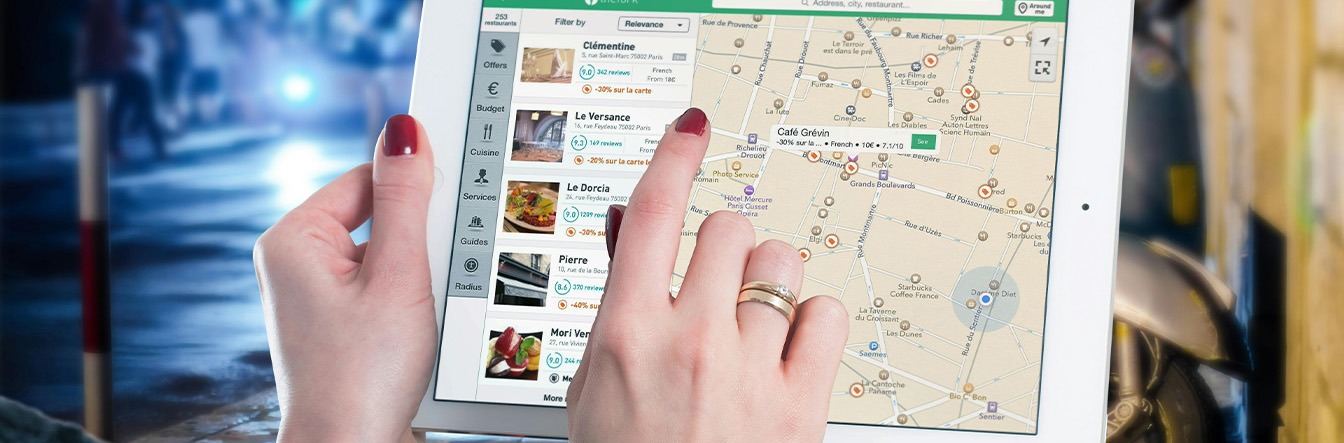
Digital wayfinding uses interactive maps, kiosks, and mobile apps to provide clear, step-by-step navigation across large campuses. Unlike static signs or printed directories, digital systems are dynamic, easy to update, and accessible from anywhere.
2. Why Corporate Campuses Need It
- Time savings & productivity: Employees no longer waste time finding meeting rooms or facilities.
- Improved visitor experience: Guests feel welcomed and guided instead of overwhelmed.
- Reduced support load: Reception staff and security teams spend less time answering directional questions.
- Real-time communication: Updates such as room changes, blocked pathways, or emergency alerts can be delivered instantly.
- Enhanced safety & compliance: Vendors and staff can be guided through approved routes, while emergency navigation supports faster, safer evacuations.
3. Two Types of Digital Wayfinding
a) Wayfinding without Blue Dot (Static Positioning) This type of wayfinding provides a map-based navigation experience where users manually input or select their starting point.
- How it works: Visitors access an interactive map via a kiosk, web link, or app. They choose their location (e.g., “Lobby A”) and destination (e.g., “Conference Room 220”), then receive a clear visual route.
- Benefits: Cost-effective, requires no specialized sensors, quick to deploy, and easy to maintain.
- Best for: Visitor guidance, event navigation, and spaces where precision tracking isn’t critical.
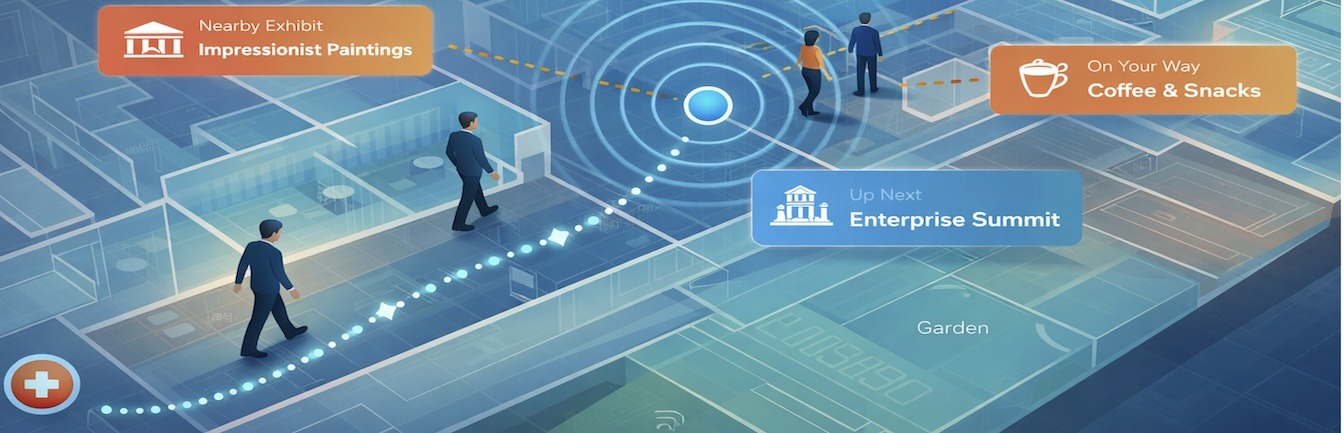
b) Wayfinding with Blue Dot (Real-Time Positioning) This version offers a “you are here” experience—similar to smartphone GPS—where a live blue dot tracks the user’s movement in real time.
- How it works: Uses indoor positioning technologies such as Bluetooth beacons, Wi-Fi triangulation, or sensor fusion to detect the user’s location inside the campus. The system updates their movement as they walk.
- Benefits: Highly intuitive, removes guesswork, and enhances confidence, especially in large or complex spaces.
- Best for: Daily employee navigation, hybrid work desk-finding, emergency evacuations, and accessibility routing.
Tip: Many campuses start with a non-blue-dot solution for cost and speed, then scale into blue-dot navigation as usage grows or as more precise tracking becomes necessary.
4. Key Features of Effective Wayfinding Solutions
- Interactive indoor & outdoor maps: Covering everything from parking lots to office floors.
- Searchable directories: Quickly locate departments, amenities, or individuals.
- Multi-channel access: Available via mobile devices, kiosks, and web portals.
- Custom branding: Aligning the navigation experience with the company’s culture and design standards.
- Accessibility support: Routing optimized for ADA compliance, with voice guidance and multi-language options.
5. Use Cases in Corporate Campuses
- Employee onboarding: New hires can easily find their way during the first weeks, easing their transition.
- Client and partner visits: Streamlined navigation creates a professional, polished impression.
- Hybrid work & desk booking: Staff can locate available desks or meeting rooms and navigate directly to them.
- Event hosting: Conferences or workshops become easier to manage with digital maps guiding attendees to venues.
- Maintenance vendors: Service providers and contractors can efficiently locate equipment rooms, utility areas, or restricted zones without staff escort, saving time and minimizing disruptions.
- Emergency response: Real-time rerouting during fire drills or evacuations ensures safer outcomes.
6. Implementation Best Practices
- Start small, scale smart: Roll out in high-traffic areas (lobbies, parking, main corridors) before expanding campus-wide.
- Choose the right type: Deploy static wayfinding first or go straight to blue-dot depending on budget, complexity, and user needs.
- Integrate with existing systems: Pair with room booking or employee directories for a unified experience.
- Prioritize user experience: Ensure maps are intuitive, fast, and visually aligned with corporate branding.
- Keep content fresh: Update maps as buildings evolve, ensuring accuracy at all times.
Final Takeaway
Digital wayfinding is no longer just a “nice-to-have”—it’s becoming an essential part of modern campus design. Whether deployed with or without blue dot positioning, it enhances navigation, boosts productivity, improves visitor experiences, and supports safety and compliance for employees, vendors, and guests alike.